




Play Geometry Arrow free online: hold to climb, release to dive, and thread the arrow through six fixed levels of narrowing corridor and floating blocks. No download.
Geometry Arrow, in the browser
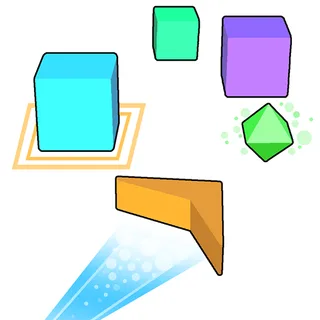
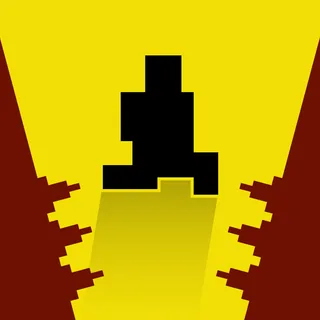
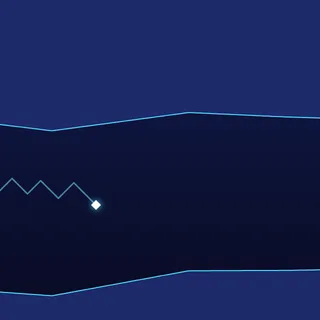
Geometry Arrow is the arrow — sometimes called the dart or the wave — pulled out of Geometry Dash and given levels of its own. The arrow moves right at a fixed speed and only ever travels at forty-five degrees: hold and it climbs, let go and it dives. There is no jump, no second button and no way to slow down. Everything you do is decided by when you press and when you let go.
This one was written for this site and is served from this domain, so it starts the moment you press Play and a school network has no third-party games host to block. It is about ten kilobytes of script and one canvas — no engine, no downloads, no account.
Six levels, and they do not change
The arrow game most people find is endless: a random corridor that goes on until you crash. This one is not. Each of the six levels is generated from a fixed seed, which means level four is the same level four on every attempt, on every device and for every player. That is the whole point — you are not being asked to react to something new, you are being asked to learn a piece of geometry and then fly it cleanly.
- 1 — Warmup. A wide corridor and no blocks. This one exists to teach you that holding is not a button press, it is a state.
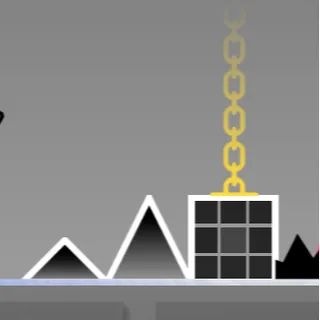
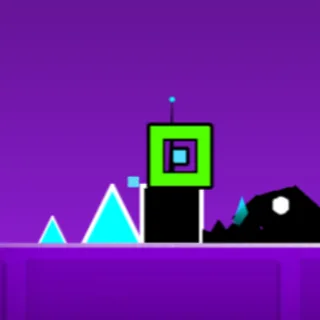
- 2 — Slipway. The first blocks appear. They hang off one wall and take about a third of the gap.
- 3 — Crosscut. The corridor starts drifting faster than the blocks arrive, so you are crossing the tunnel and dodging at the same time.
- 4 — Needle. Half the width of Warmup, twice the blocks.
- 5 — Blackout. Fast, tight, and the drift no longer gives you a straight section to breathe in.
- 6 — Overkill. Forty-five blocks in a corridor barely three arrow-widths across.
Every level ends. There is a percentage across the top, exactly like a real Geometry Dash level, and the percentage you got furthest to is kept on your device so you always know what you are trying to beat.
How to fly it
- Tap, do not hold. A long hold sends you into the ceiling. Short taps keep the arrow flat — it will zigzag, and a zigzag that stays level is what a straight corridor wants.
- Aim at the middle of the gap, not at the wall you are avoiding. At forty-five degrees you always overshoot; picking the centre gives you room on both sides when you do.
- Start crossing early. A block on the ceiling means you need to be low before you reach it. Crossing the corridor takes as much horizontal distance as it does vertical, so decide a screen ahead.
- Learn one section at a time. If you keep dying at 40%, the part that kills you is about three seconds long. Twenty attempts on those three seconds is faster than twenty full runs.
Arrow, wave, dart — the same thing
Inside Geometry Dash the form is officially the wave, and in the community it gets called the dart. "Arrow" is what most people search for, and it describes the shape better than either: a triangle pointed the way you are travelling, leaving a zigzag behind it. The control is identical in all three — hold to go up at forty-five degrees, release to go down at forty-five degrees.
If you would rather chase a distance than clear a level, the wave trainer on this site is the endless version of exactly this: one corridor, no blocks, no finish line, and it narrows forever. And if the problem is not the corridor but your hands, the spam test measures the clicks per second that wave sections actually demand.
Does it work on a phone?
Yes. Touch is the same control as the mouse — hold anywhere on the screen to climb, lift your finger to dive — and the canvas resizes to whatever viewport it is given. On a Chromebook, Space and the up arrow both work, which is usually more comfortable than a trackpad for something this precise.
Progress is stored in your browser on this device. A private window, a different machine, or an administrator clearing site data will start you back at level one with no percentages.
Playing on a school Chromebook? Geometry Dash Official for Chrome keeps the level running when the Wi-Fi drops.