Playing Geometry Dash Lite, the official WebGL edition — free, in this tab, with nothing to download. Use the edition switch above the player for the classic Scratch port, or jump straight to wave practice and the spam test.
Geometry Dash Scratch
Geometry Dash Unblocked
Geometry Dash Wave
Geometry Dash Spam Test
Geometry Dash Arrow
Geometry Dash Meltdown
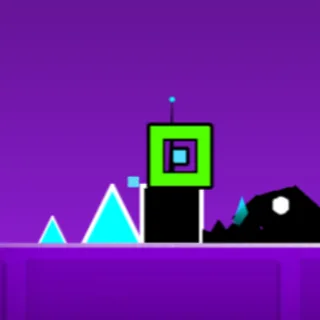
Geometry Dash SubZero
Geometry Dash World
Geometry Dash Bloodbath
Geometry Dash Skeletal Shenanigans
Geometry Dash Download
Geometry Dash Full Version
Fixed-height jumping. Jump late over single ground spikes, and early over multi-spike pits.
Continuous thrust while holding jump. Tap in micro-bursts to maintain smooth altitude through tight caverns.
Inverts gravity on surface contact. Time your taps upon landing to switch instantly between floor and ceiling.
Mid-air hops similar to Flappy mechanics. Each tap gives an instant lift across floating hazard barriers.
Sharp 45-degree diagonal flight. Hold to ascend diagonally and release to dive through razor-sharp tunnels.
The Robot allows variable jump heights based on press duration, while the Spider teleports directly across surfaces.
Every jump, pad bounce, and portal transition is mathematically synchronized with the soundtrack beats. Audio feedback is your greatest weapon.
Yellow and pink launch pads trigger automatically upon contact. Pressing jump while hitting a pad will often vault you into ceiling spikes.
Holding down continuously quickly accelerates your ship into the ceiling. Feather your clicks in rapid, steady bursts for stable flight.
Press Z to drop green checkpoints before complex sequences. Replaying challenging parts repeatedly builds muscle memory before a 100% run.
Stuck at 85% or hunting for hidden stars? Explore our comprehensive official Geometry Dash levels directory for complete difficulty ratings, forms per stage, and the exact percentage breakdown of every secret coin across all 22 campaign levels.
Playing on a school Chromebook? Geometry Dash Official for Chrome keeps the level running when the Wi-Fi drops.
The full WebGL browser port featuring official campaign levels, synchronized electronic soundtracks, and persistent browser progress.
Griffpatch's legendary Scratch engine remake. Ultra-lightweight, zero lag, and 100% unblocked on school Chromebooks and restricted networks.
A fiery expansion with 3 explosive levels — The Seven Seas, Viking Arena, and Airborne Robots — set to hard-hitting beats by F-777.
Ice-cold winter stages showcasing inverted camera controls and early 2.2 gameplay triggers with music by MDK and Bossfight.
Two compact worlds (Dashlands and Toxic Factory) featuring short, fast-paced rhythm courses and secret vault chambers.
Sharpen your diagonal flying skills in tight spike corridors, and measure your peak clicking speed (CPS) before tackling Demon stages.
Geometry Dash was originally conceived and coded in 2013 by Swedish indie developer Robert Topala (RobTop Games) using the open-source Cocos2d-x engine. Inspired by brutal precision runners like The Impossible Game and Super Meat Boy, Topala spent four months developing what was initially titled Geometry Jump, launching with just seven levels and a simple cube mechanic.
The game transformed into an international phenomenon through its integration with Newgrounds artists such as Waterflame, DJVI, and ForeverBound, perfectly matching obstacle placement to electronic rhythm beats. With the introduction of the Level Editor and Steam PC release in 2014, the community took over, creating millions of custom levels ranging from relaxing auto-runs to humanly impossible Extreme Demons.
Today, geometrydash.gg preserves this legacy by offering the official WebGL builds and classic Scratch editions directly inside your browser — completely free, unblocked, with zero installation required.
Yes. Both Geometry Dash Lite and the Scratch version run directly in this page. There is nothing to download or install and no account to create. Press Play to start jumping.
Use the Version switch above the game player to toggle between Geometry Dash Lite (the full WebGL edition with official levels) and the Scratch Edition (the classic Griffpatch port). You can switch anytime.
Geometry Dash is a rhythm platformer released by RobTop Games in 2013. A cube moves at a fixed speed through levels of spikes and obstacles set to electronic music, and a single press makes it jump. Portals transform your character into a ship, ball, UFO, wave, robot, or spider.
Yes. Your level completions, practice runs, and collected coins are saved locally in your browser on this device. Using private browsing or clearing site data will reset progress.
Practice mode lets you drop manual checkpoints inside any level and restart from them whenever you crash. It is designed to let you master difficult rhythms and transitions before attempting a full normal completion.
Yellow jump pads launch you automatically upon contact. Yellow jump rings require a tap or click while your character is touching them. Pink pads and rings give shorter hops, while blue and green pads flip gravity.
Holding down the jump button causes the rocket ship to climb continuously straight into the ceiling. Fly the ship using quick, controlled taps rather than holding, only holding briefly when performing steep climbs.
Yes. Both the Lite and Scratch versions support touch controls. Tap anywhere on the game canvas to jump or hold to fly. Use the Fullscreen button below the player for maximum screen visibility and lower input latency.
Always play with sound enabled because every obstacle is synchronized to the musical beat. Break challenging sections down with practice checkpoints, and avoid holding jump when bouncing off launch pads.
What all eight portals turn you into, how the one button behaves in every form including the 2.2 Swing Copter, and the flight mistake almost everyone makes.
A plan for going from dying at 12 percent to finishing the early levels, including how to use practice mode without it becoming a crutch.
Finished the early levels? Here are the browser games that scratch the same itch, from the game that started it all to gravity flippers and neon tunnels.